A repeatable attorney profile template
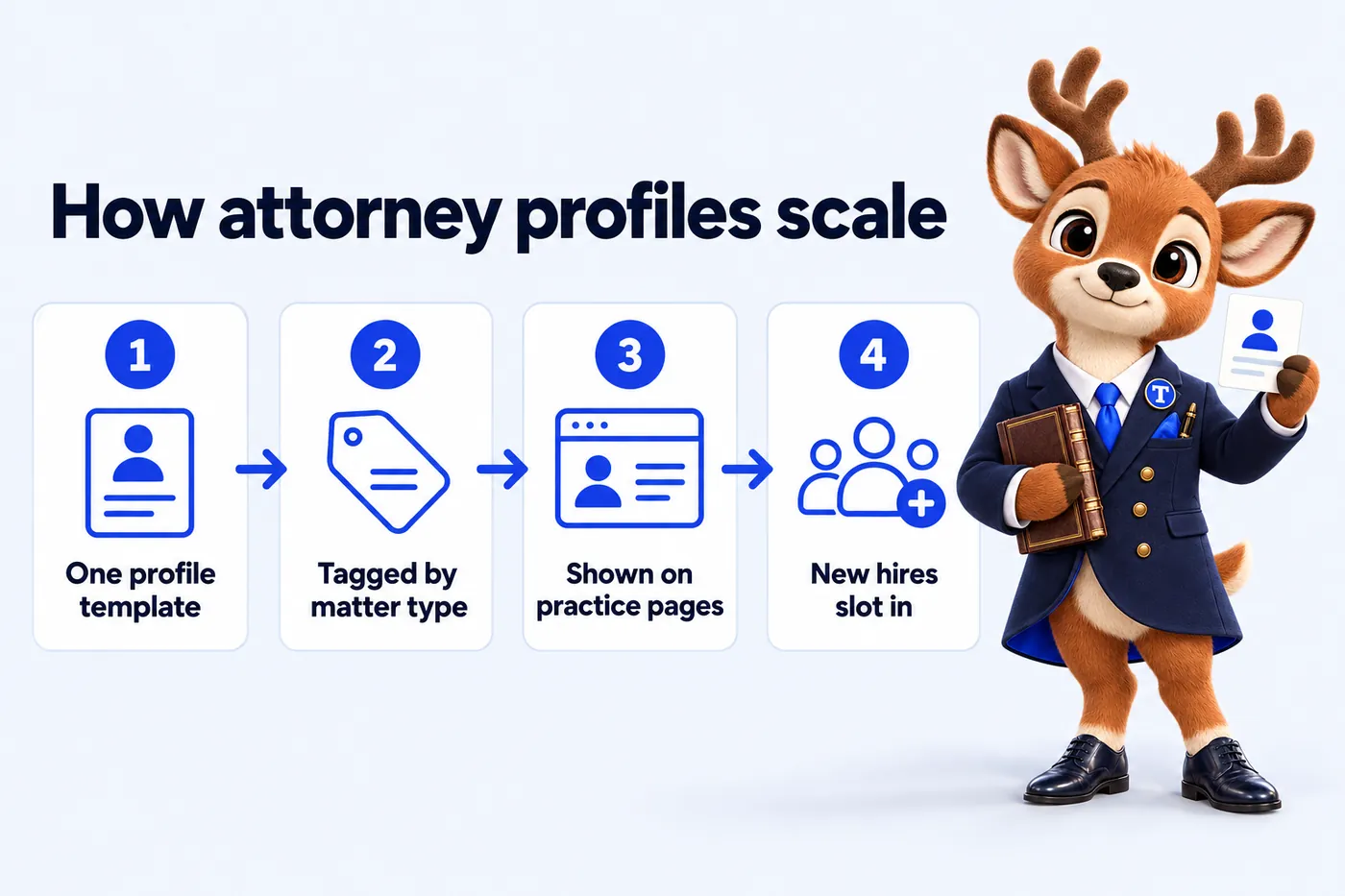
Built once, tagged by matter type, ready to accept new hires without a redesign.
The volume
Practice areas
More practice areas
Design
Build, search and scale
The site
The management
Service
Multi-attorney website design means the site is built around a repeatable attorney profile template and clear routing by matter type from the first attorney onward, so the structure does not need to be rebuilt when the firm hires its fifth, or its fifteenth, attorney. A single "our attorneys" page with a growing wall of headshots is the usual failure mode: it works fine for three attorneys and becomes unusable navigation once a firm reaches eight or nine, since a visitor with a specific problem has no way to tell which headshot actually handles it.
What it costs
Signs you need it
Past four or five attorneys, a single page listing everyone stops functioning as navigation and becomes a directory a visitor has to scroll through hoping to guess who handles their situation. A visitor dealing with a workplace injury should not have to read nine short bios to figure out which attorney actually practices employment law. The fix is not a bigger page, it is a different structure: individual profile pages tagged by matter type, surfaced directly from the practice-area page a visitor already landed on. That distinction sounds small, but it is the difference between a visitor finding the right attorney in one click and a visitor giving up partway through a long scroll of unrelated bios.
Each attorney gets their own profile page built from a repeatable template, tagged with the matter types they actually handle. Practice-area pages pull in the attorneys tagged for that matter automatically, so a visitor on the personal injury page sees the attorneys who handle personal injury, not the whole firm roster. An intake router then directs a new inquiry toward the right office or attorney based on the matter described, with a clear statement that the router does not provide legal advice and creates no attorney-client relationship, since routing an inquiry is not the same as advising on it.
A firm going from three attorneys to eleven over two years does not need a redesign at any point in that growth. Each new hire gets a profile page added under the existing template, tagged with their matter types, as a revision handled within the plan's monthly allotment, in 2 to 5 working days. The structure was built to accept flat additions from the start, so growth is a content update, not a development project. None of those eleven attorneys required the practice-area pages themselves to be redesigned, since each new profile simply gets tagged into the matter types it already covers.
A dedicated page per attorney also means each attorney's name and background exist as their own indexable page, rather than being buried as one paragraph on a shared roster page. That structural choice, one page per attorney rather than one page for the whole team, is a search-structural decision as much as a navigation one, and it is the reason the profile template is treated as a first-class part of the build rather than an afterthought section on the homepage. It also means a client who searches for an attorney by name after a referral finds a dedicated page built around that attorney specifically, not a single paragraph competing for space with nine other bios.
Who it is for
How the work runs
We design one profile template, tag every attorney with matter types, offices and bar admissions, and wire each practice area page to show the attorneys tagged to it.
Pay the first monthly invoice
The only payment before launch. It starts the build and covers your first month once the site is live.
Onboarding form and one call
Offices, attorneys, matter types, consultation terms and routing rules. About 15 minutes of form, one call to confirm it.
The studio designs and builds
Practice area pages, office pages, attorney profiles, the intake router, the CRM connection and redirects from your old site.
You review on a private link
Mark up anything you want changed. Nothing goes live until the firm approves it.
Launch, then every week
Live on your domain in 7, 10 or 15 days depending on plan. Weekly updates and articles start the same week.
7 days on Solo Practice10 days on Multi-Attorney15 days on Multi-Office
Deliverables
Built once, tagged by matter type, ready to accept new hires without a redesign.
Each matter page surfaces the attorneys tagged to handle it, not the entire firm roster.
Routes inquiries to the right office or attorney, with a clear statement that it is not legal advice.
New attorneys are added as profile pages within the existing template, handled as revisions.
Each attorney gets their own page rather than a shared paragraph on a roster page.
$297 a month plus AI usage, a 10-day build, sized for a growing multi-attorney firm.
What it costs
The price is set by plan, not by page count or hours. Every plan carries the same design and build quality; what changes is what answers the phone and how much is published each week.
| Plan | Monthly | Live in | Best for |
|---|---|---|---|
| Solo Practice | $137 / month | 7 days | The website, fully managed |
| Multi-Attorney | $297 / month + usage | 10 days | Everything, plus the AI Engine |
| Multi-Office | $747 / month | 15 days | Everything, plus the Content Engine |
Plus a $797 one-time build fee, invoiced only after launch and approval. Engagements started on or before Thursday, December 31, 2026 have the $797 build fee waived, so that invoice is never raised. Extra revisions beyond 5 a month are $20 each.
Next
A live walk-through with your offices, attorneys and matter types on the screen, about 30 minutes. Live in 7 days from the first invoice.
Included by plan
Whichever service brought you here, the plan includes the same site, intake and management. This is what each plan carries.
| Capability | Solo Practice$137/ month | Multi-Attorney$297/ month + usage | Multi-Office$747/ month |
|---|---|---|---|
| Pages that open instantlyStatic, hand-built pages served from the edge, 90+ PageSpeed guaranteed on mobile and desktop. | Included | Included | Included |
| Practice area pagesOne well-structured page for every matter type the firm takes, written answer-first. | Included | Included | Included |
| Office and attorney pagesA location page for every office and a profile for every attorney, all inside one site. | Included | Included | Included |
| Intake routerThree questions, then the inquiry goes to the right office or attorney with the consultation terms shown. | Included | Included | Included |
| Inquiries into your intake CRMEvery form, router and call inquiry lands in the CRM your intake team already uses. | Included | Included | Included |
| Weekly detail updatesAttorney moves, new hours, new bar admissions and fee changes published every week without using a revision. | Included | Included | Included |
| Researched articles2 long-form, cited articles a week on the questions people search before they contact a firm. | Included | Included | Included |
| Search, answer and AI visibilityTechnical and on-page SEO, office and service-area pages, answer-first FAQs, schema and llms.txt, so search engines and AI assistants can read the firm correctly. | Included | Included | Included |
| Managed hostingCloudflare edge hosting, SSL, backups and monitoring inside the monthly fee. Nothing itemized. | Included | Included | Included |
| The AI EngineAn AI receptionist, site chat and SMS, Messenger and Instagram agents that take inquiries and book consultations, never give advice. | Not included | Included | Included |
| The Content Engine3 articles a week, 3 social image posts, 2 reels and a managed Google Business Profile for each office. | Not included | Not included | Included |
In their words
If you only look at the design you miss the best bit, which is the inquiry form. It asks for practice area, county and safe callback time before anything is sent, which is the information we used to chase by email. We answer properly on the first reply far more often than we used to.
GotInquiry form and response workflow for legal intake on Solo Practice
We used to forward legal intake emails around and hope somebody had replied. Every inquiry arrives with an owner, a status, and the context attached. Holiday cover stopped being an archaeological exercise.
GotInquiry assignment and staff handover for legal intake on Solo Practice
Case studies
Not included
Legal advice or a compliance sign-off
We are not a law firm. We write to avoid outcome claims and add the disclaimers you ask for, but the firm reviews its content and stays responsible for its advertising rules.
Revisions beyond 5 a month
Each extra revision is a flat $20, with no hourly billing. Weekly detail updates never count as revisions.
AI usage on the AI Engine plans
The AI Engine is inside the Multi-Attorney and Multi-Office fee; the minutes answered and messages handled are billed at cost each month, with a running total you can see.
The AI Engine on Solo Practice
Solo Practice carries the full site, intake router and management. The AI receptionist, chat and messaging agents start on Multi-Attorney.
Social posts, reels and Google Business Profiles below Multi-Office
The Content Engine is on Multi-Office only. The other plans carry 2 researched articles a week.
A photographer on site
We give photography direction and build around the photos you send, or design pages that work without photos. We do not send a photographer.
Heavy third-party scripts against our advice
The 90+ PageSpeed guarantee does not cover scripts you ask us to add after we have told you what they will cost the score.
The terms of engagement
Six commitments, stated as terms rather than slogans, with the conditions visible.
The $797 build fee is invoiced only once the site is live and the firm has approved it. Engagements started on or before Thursday, December 31, 2026 have the $797 build fee waived, so that invoice is never raised.
You review the whole site on a private link and mark up what you want changed. Changes at that stage do not use your monthly revisions.
Every page we build and host scores 90+ on Google PageSpeed Insights for mobile and desktop. If a page drops below because of something we did, we fix it at no charge.
Local searches in your area start ranking within 3 to 5 months of launch, or the search work continues at no extra charge until they do.
There is no contract length. Cancel by email with at least 2 business days before your next invoice date, and no further invoice is charged.
The domain is registered in the firm's name or stays in it. On cancellation you get an export of your content and articles within 14 days.
All sales are final: the one refund the studio makes is for a duplicate or incorrect charge caused by its own billing, reported within 30 days. The refund policy sets out how that works. Read the refund policy.
The template is built to accept attorneys as flat additions, so a firm growing from three to fifteen and beyond does not outgrow the structure itself.
A new profile page is added under the existing template, tagged with their matter types, handled as one of your monthly revisions.
No. It routes an inquiry to the appropriate office or attorney based on the matter described. It does not provide legal advice and does not create an attorney-client relationship.
Multi-Attorney at $297 a month plus AI usage, with a 10-day initial build.
Practice areas, offices, bar admissions, education, a short professional biography and a direct inquiry route, in the same order on every profile.
As a weekly detail update: send the photo and bio and the profile is published within the week, tagged to the right matter types and office.
Yes. Every admission is listed, which matters for firms near state lines.
Yes. Each profile carries Person structured data linked to the firm and its office.
A live walk-through of the site you would get, in about 30 minutes. Plans from $137 a month, the $797 build fee invoiced only after launch, domain and hosting included.
Book a demoOr email and a person replies within one working day.
AttorneyWebStudio uses the cookies below. Necessary cookies keep the site working and cannot be turned off.
Saved on this device only. Press Esc to close.